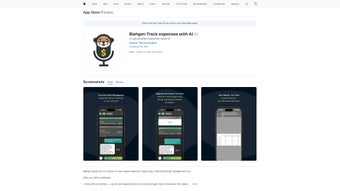

Download Blahget – AI‑Powered Voice Expense Tracker & Financial Management Tool
Overview: A Conversational Way to Manage Your Money
Blahget is reshaping personal finance by turning expense tracking into a natural conversation. Instead of opening spreadsheets or tapping through endless menus, users simply speak their transactions and let the platform do the heavy lifting. Powered by a cloud‑based AI engine, the tool captures spoken amounts, dates, categories, and notes, then automatically stores the data in a secure vault. Over time, the machine‑learning model learns the nuances of each user’s voice, regional accents, and spending habits, resulting in a progressively smarter assistant that reduces errors and speeds up entry.
Beyond the core voice‑first experience, Blahget offers a full‑featured typing mode for situations where speaking out loud isn’t practical. Whether you’re in a quiet office, on a noisy commute, or simply prefer the tactile feel of a keyboard, the typing interface mirrors every voice command, ensuring a seamless transition between input methods. The integrated AI financial assistant can answer budget‑related questions, forecast cash flow, and suggest personalized savings strategies based on historic patterns, all without requiring you to navigate complex dashboards.
Security is baked into every layer of Blahget. All communications are protected with TLS 1.3, while data at rest is encrypted using AES‑256. The service complies with GDPR and CCPA, giving users confidence that their financial details remain private. Automatic updates are delivered instantly through the web platform, so you always benefit from the latest features and security patches without manual downloads. Whether you’re a student juggling a part‑time job, a freelancer handling multiple income streams, or a family seeking tighter budget control, Blahget provides a modern, secure, and hands‑free solution for everyday expense management.
Key Features That Differentiate Blahget
- Voice‑First Transaction Logging: Speak your income or expense naturally; AI extracts amount, category, date, and optional notes.
- Adaptive AI Categorization: Automatic classification improves with continued use, learning your unique spending language.
- Batch Voice Commands: Edit or delete multiple records in a single spoken instruction, saving valuable time.
- Discrete Typing Mode: Full feature parity with voice mode for quiet environments or personal preference.
- Conversational Financial Assistant: Ask budgeting questions, request cash‑flow forecasts, and receive actionable saving tips.
- End‑to‑End Encrypted Cloud Storage: Your data is protected in transit and at rest, with GDPR‑compliant safeguards.
- Cross‑Platform Browser Access: Works on any modern browser across Windows, macOS, Linux, Android, and iOS devices.
- Customizable Visual Reports: Auto‑generated charts and trend lines give instant insight into spending patterns.
- One‑Click Export: Download transactions as CSV or PDF for tax preparation or offline analysis.
- Seamless Automatic Updates: New features and security patches are applied instantly without user intervention.
Each of these capabilities is engineered to reduce friction and empower users to stay on top of their finances with minimal effort. The voice‑first approach eliminates the repetitive data‑entry tasks that plague traditional budgeting apps, while the AI assistant transforms raw numbers into meaningful recommendations. Users with visual impairments or those who simply prefer hands‑free interaction benefit from batch voice commands that are rarely seen in consumer finance tools. Meanwhile, the secure cloud architecture guarantees that your financial history is safe from device loss or theft, and the export function ensures you retain full ownership of your data.
Reporting is another strong suit. By aggregating transactions into intuitive visualizations, Blahget lets you spot spending spikes, recurring bills, and opportunities for savings within seconds. The assistant can even suggest category tweaks—such as reducing dining‑out budgets after detecting a sustained increase in restaurant spend. Together, these features deliver a proactive, intelligent, and secure financial management experience that stands out in a crowded market.
Installation, Compatibility & Easy‑Start Guide
Getting Started – No Download Required
Blahget is a fully web‑based application, which means there is no traditional installer to run. Simply navigate to www.blahget.com, click “Sign Up,” verify your email, and you’re ready to begin logging expenses. The responsive design adapts fluidly to desktop monitors, tablets, and smartphones, delivering a consistent experience regardless of screen size.
Supported Operating Systems (Windows, macOS, Linux, Android, iOS)
The platform runs in any modern browser that supports the Web Speech API and HTTPS encryption. This includes Chrome, Edge, Firefox, Safari, and Opera on Windows 10/11 and macOS Monterey or later, as well as Chrome or Safari on Android 9+ and iOS 14+. Because all processing occurs on Blahget’s servers, even low‑end devices enjoy smooth performance, and the AI’s heavy lifting stays in the cloud.
Step‑by‑Step Usage Instructions
- Create Your Account: Register with an email address or single‑sign‑on provider, then enable two‑factor authentication for added security.
- Set Up Voice Preferences: In Settings, select your language, calibrate the microphone, and optionally train the AI with a few sample phrases.
- Log a Transaction by Voice: Click the microphone icon and say, “I spent $45 on groceries on March 3rd.” Blahget parses the details and adds the entry automatically.
- Review and Adjust: The AI suggests a category (e.g., “Food – Groceries”). Confirm or change it as needed.
- Use Batch Commands: Say “Delete all coffee expenses from last month” or “Change all ‘Uber’ rides to ‘Transport’” to modify multiple records at once.
- Ask the Financial Assistant: Query “How much did I spend on utilities this quarter?” and receive a visual summary instantly.
- Generate and Export Reports: Choose a date range, view interactive charts, and export the data as CSV or PDF for tax filing.
If you prefer typing, toggle the keyboard icon in the top‑right corner. All typed entries sync instantly with the voice log, ensuring a unified record. Backups run automatically in the background, and you can trigger a manual backup from Settings whenever you wish. This blend of flexibility, security, and ease‑of‑use makes Blahget a truly universal finance companion.
Conclusion – Pros, Cons, FAQ and Why You Should Try Blahget
Pros
- Hands‑free voice logging eliminates tedious manual entry.
- AI continuously learns your speech patterns, boosting accuracy over time.
- End‑to‑end encryption safeguards sensitive financial information.
- Browser‑based access works on Windows, macOS, Linux, Android, and iOS.
- Integrated financial assistant provides instant budgeting insights.
- Batch voice commands streamline bulk edits and deletions.
- Automatic, zero‑click updates keep the software current.
- CSV and PDF export options simplify tax preparation.
Cons
- Requires a stable internet connection for real‑time voice processing.
- Speech recognition may struggle with heavy accents or noisy environments.
- No dedicated native desktop or mobile apps; performance depends on browser.
- Offline transaction entry is limited to typing mode only.
- Advanced analytics and multi‑currency support are locked behind a premium plan.
Frequently Asked Questions
Is Blahget free to use?
Yes. The free tier includes unlimited voice logging, AI categorization, basic reports, and cloud storage. Premium features such as advanced analytics, multi‑currency support, and priority support require a subscription.
How secure is my financial data?
All data is transmitted over TLS 1.3 and stored with AES‑256 encryption. Blahget adheres to GDPR and CCPA standards, and two‑factor authentication is optional for added protection.
Can I access Blahget on my smartphone?
Absolutely. Because it runs in a web browser, you can open Blahget on any modern Android or iOS device. The responsive design ensures a smooth experience on both small and large screens.
What happens if I lose internet connectivity?
Voice recognition relies on cloud processing, so it’s unavailable offline. However, you can switch to typing mode and manually enter transactions; these entries will sync automatically once you reconnect.
Does Blahget integrate with other finance tools?
Currently Blahget supports CSV export, which can be imported into most accounting software such as QuickBooks, Xero, or Excel. Future updates plan to add direct API integrations with popular budgeting platforms.
Ready to experience a smarter, hands‑free way to track your money? Sign up for Blahget now, start logging expenses by simply speaking, and let the AI handle categorization, analysis, and reporting. With robust security, cross‑platform accessibility, and a generous free tier, Blahget offers a compelling solution for anyone looking to gain better control over their finances without the hassle of traditional apps.
Overall Rating: 4.5/5
Pros: Voice‑first logging, AI insights, strong security, cross‑platform access.
Cons: Requires internet, limited offline entry, premium needed for advanced reports.



.png)



